

What is Motionik?
Motionik is a powerful screen recording and editing tool designed for Windows and macOS, enabling users to create stunning product demos, tutorials, and explainer videos in minutes. Unlike traditional workflows that require multiple apps and hours of manual editing, Motionik combines recording, auto zoom, and editing into one streamlined solution. Its standout feature is intelligent cursor tracking, which automatically generates natural, fluid animations that follow every mouse movement, making recordings look polished and professional. The auto zoom functionality allows you to focus on important areas with smooth, customizable transitions and precise control over pan behavior. You can manually adjust zoom levels and positions to highlight key interactions.
Motionik offers a rich set of editing tools to enhance your videos. Easily add text, images, highlights, audio tracks, and more. Include background music or narration, titles, captions, and annotations. Enhance your videos with logos, icons, and graphics. Hide sensitive information with content masks and draw attention with highlights. Click animations can be controlled to emphasize interactions. The tool also supports webcam and microphone recording, allowing you to include your camera feed anywhere on the screen. You can show or hide the camera at specific times, automatically adjust its size based on zoom, and even remove backgrounds seamlessly for a distraction-free appearance. Fine-tune camera framing with zoom, cropping, and mirroring controls.
Motionik also enables iPhone screen recording via USB, perfect for app demos and tutorials. You have full control over the visual style, including backgrounds, shadows, and rounded corners, ensuring your recordings stay on-brand. Whether you're creating product demos, tutorials, or promotional videos, Motionik delivers studio-quality results without the complexity. Its intuitive interface and powerful features make it an essential tool for content creators, marketers, and educators who need to produce high-quality screen recordings quickly and efficiently.
Use Cases
Key Features
screen recording auto zoom intelligent cursor tracking editing tools add text and images background music content masks click animations webcam support cross platformWho is it for?
content creators, marketers, educators, product managers, software trainers, video editors
Similar Tools






Details
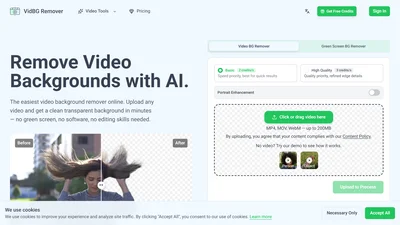
VidBG Remover is an AI-powered tool that instantly removes video backgrounds without the need for a ...
freemium